Eric Spencer
projects
Terminal GPT
Terminal GPT was written in early 2025. It puts a ChatGPT client in the shell, so that asking a quick question does not require a browser tab. The repository contains two scripts.
The first, gpt.py, is a streaming chat REPL. Responses stream back in cyan and the conversation history is held for the length of the session. It uses the OpenAI Python SDK directly, with gpt-4 as the default model; gpt-3.5-turbo and gpt-4-turbo are commented out in the source and can be swapped in to reduce token costs. Ctrl+C is handled in two stages: the first interrupt stops the in-flight request, and a second one quits.
This is the script aliased as gpt in the .zshrc, so a chat opens from any directory. The alias activates the virtual environment and runs gpt.py.

The second script, exe.py, translates English into shell commands. Given something like "create a folder called notes and cd into it", it asks an LLM for the corresponding shell command, prints what it is about to run, and waits for a y before executing. A sanitizer strips anything containing .., and a dangerous-keyword check covering rm, sudo, chmod, chown, curl, and wget forces an additional yes confirmation.
Unlike gpt.py, this script runs against OpenRouter's free deepseek/deepseek-chat:free model rather than OpenAI, since the task is command translation rather than the strongest possible answer. It also has a retry loop: when a generated command fails, the error message is fed back to the model, up to three times.
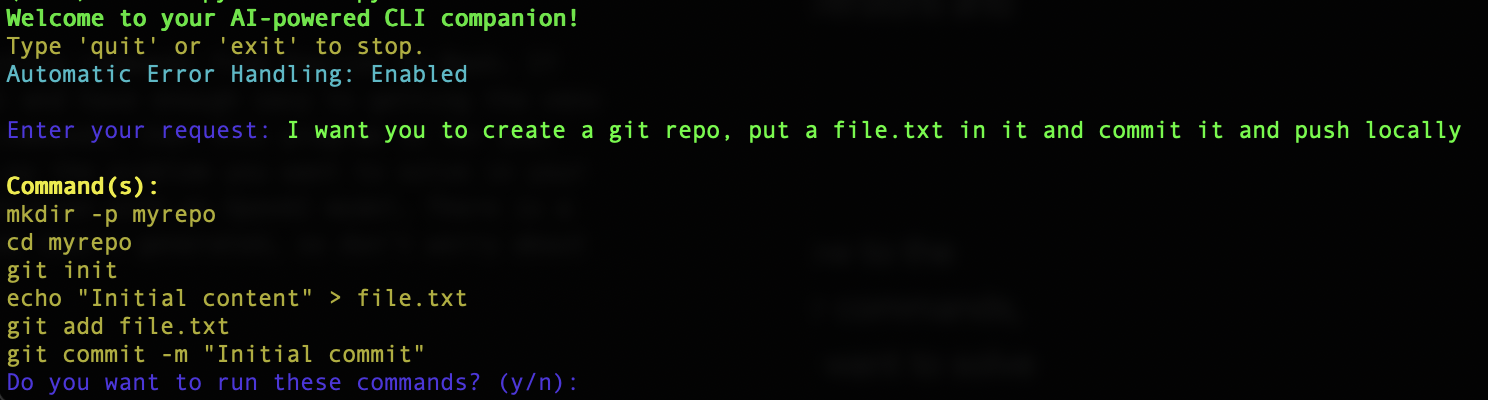
Source is on GitHub. The repository is two files, an install.sh, and a requirements.txt. Setup is to place OPENAI_API_KEY_ENV in a .env next to gpt.py, set OPENROUTER_API_KEY for exe.py, and alias whichever script is wanted.